


Golf Clash - Golfing Simulator
4.3345.09K Reviews
App Specs
- Version
- 3.4.9
- Updated On
- License
- Free
- Downloads
- 10,000,000+
- Developer
- ELECTRONIC ARTS
- Categories
- Sports
- Platform
- Android, iOS
Screenshots
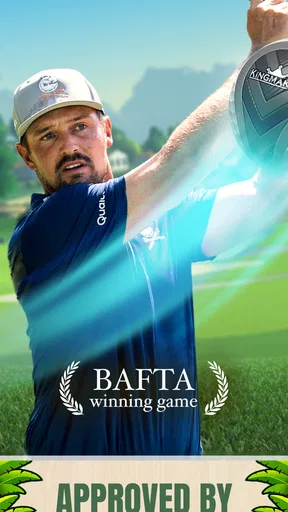

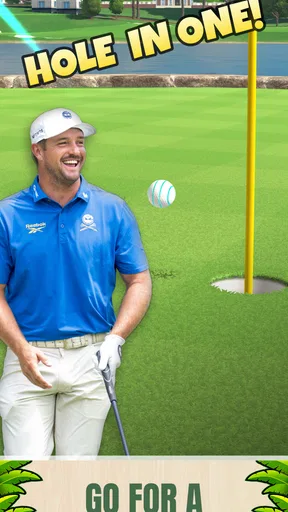
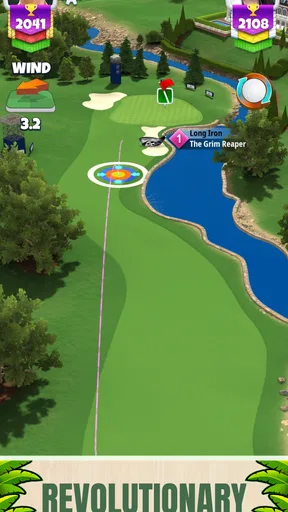
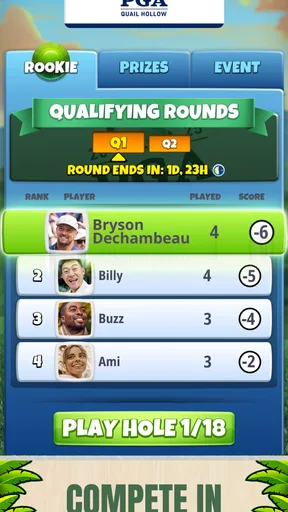
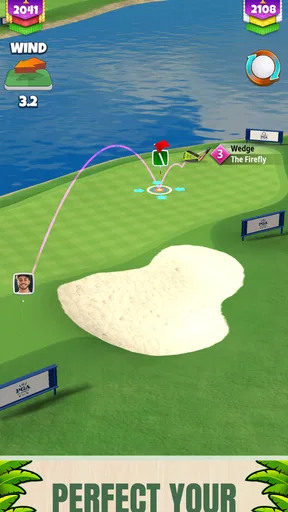
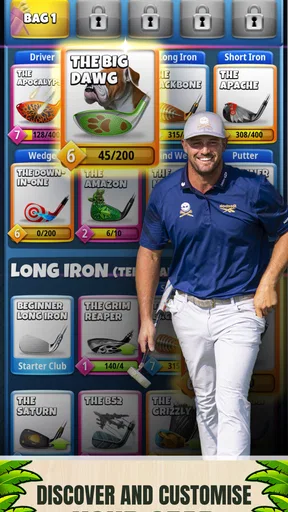
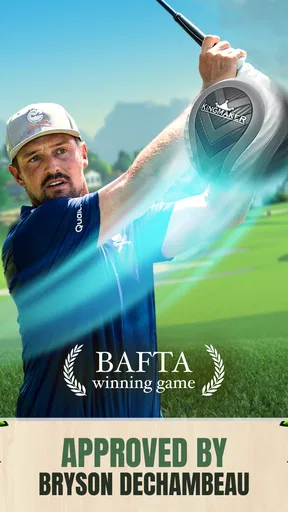
 Analysis by AppCompare
I judge a mobile golf game by how quickly I can understand a shot, whether a short session still feels worthwhile, and how much room there is to improve once the basics click. Golf Clash is built around that compact, competitive loop: line up a shot, make a swipe, and see how your choice holds up against another player. I find it easiest to recommend to someone who wants golf-flavored head-to-head play on a phone, rather than a slow, detailed simulation of a full real-world round.
What to consider before you tee off
The swipe controls make the first steps approachable, but the challenge is not simply repeating the same motion. You have to pay attention to power and direction, then learn from how a shot turns out. That makes the game suitable for quick sessions while still giving careful players something to refine. If you want an activity that can be picked up during a break without first studying a complicated control scheme, that is a real strength.
It is also worth deciding what kind of competition you enjoy. This is a sports game from ELECTRONIC ARTS, and its appeal leans toward direct matches and tournament play rather than solitary practice as the main attraction. I would choose it for the small thrill of testing a decision against an opponent; I would look elsewhere if my priority were a quiet, open-ended golf experience with no competitive pressure.
The game is free to download, with in-app purchases ranging from $0.49 to $129.99 per item. That range is a reason to be deliberate, not a reason to assume a purchase is required. I recommend starting without spending, learning which parts of the game you genuinely enjoy, and setting a budget before browsing optional items. Players who prefer games with no in-app purchasing at all may be more comfortable with a paid alternative.
The Swing of Things
First off, let’s talk about the gameplay. Golf Clash is not just any golfing simulator; it’s got a charm that hooks you right from the start. The controls are super intuitive. With just a simple swipe, you can control the power and direction of your shot. It’s so satisfying when you nail that perfect swing! And the graphics? They’re crisp and vibrant, making every course feel alive.
Features That Make It a Winner
What really sets this game apart are its features. You can play against friends or join global tournaments. I love the thrill of competing with players from all over the world. Plus, the quick-fire matches mean you can squeeze in a game even during a short break.
Then there's the customization. You can upgrade your clubs and balls to improve your game. It adds a layer of strategy as you decide which equipment will give you that edge over your opponents. Trust me, once you start upgrading, you won’t want to stop!
Worth Reading Before You Choose

Flipboard Shows What News Apps Must Do Beyond the Feed

Switching to Android Auto Means Rethinking Your Driving Routine

Google Calendar Makes a Crowded Week Easier to Manage

Ludo King Makes the Most of the Minutes Between Plans

Baby Panda World Brings Quick Play to Modern Phones, but Its Game Library Feels Busy

ESPN’s Live Game View Makes Following Close Games Easier
That equipment choice is where I would slow down rather than upgrade everything automatically. A useful habit is to think about what a particular club or ball is meant to help you do, then pay attention to whether that advantage fits the way you actually take shots. The point is not to chase every available improvement; it is to make choices that support your own approach. This also helps keep optional spending in perspective, since learning to aim and control power is part of the fun, not something I would skip in pursuit of gear.
For a realistic routine, I might open the game while waiting for a coffee or winding down after work, play a match or two, and stop there. Those brief windows suit its quick-match appeal better than setting aside an evening for a long, uninterrupted session. If I were entering a tournament, I would choose a time when I could give the competition my attention instead of treating it as something to tap through while distracted.
Not Just for Golf Pros
Now, you might be thinking, "I'm not a golf expert." Don't worry! Golf Clash is super accessible. Whether you're a seasoned golfer or someone who's never picked up a club, you’ll find this game welcoming. The tutorial is straightforward and gets you swinging like a pro in no time.
Once the tutorial is over, I would treat early matches as a chance to notice patterns rather than a test of whether I am naturally good at golf games. After each shot, ask yourself whether the direction or power was the part you misjudged. Making one small adjustment at a time is more useful than changing everything at once. That kind of deliberate practice is especially helpful for players who do not know golf terminology, because it keeps attention on what the swipe does on screen.
It is also a good fit for friends who want an easy activity to share without needing to be in the same room. A direct match gives you a clear reason to play, while global tournaments offer a broader competitive setting. The trade-off is that players who dislike competing with other people may not get as much from those modes; for them, a golf game focused on solo play or relaxed course exploration could be a better match.
One of my favorite parts? The community. Players are friendly and there’s always someone ready to give you tips or challenge you to a match. It’s like having a mini golf club in your pocket!
I would still keep expectations grounded: a competitive community can make the game more engaging, but it also means a match is not the same as a private practice session. If a close result makes you want to try again, that can be motivating; if losing to another player quickly becomes frustrating, the same setup may feel less relaxing than a solo game. I would decide based on whether rivalry makes a short session more fun for me.
Choosing it over other golf games
Compared with golf games that emphasize a full course simulation, Golf Clash puts more weight on quick decisions and playing against others. That makes it easier to fit into spare minutes, but it is not the choice I would make for a slower, more contemplative round. Against casual arcade-style sports games, it has a more distinctly golf-centered rhythm: each swipe asks you to judge a shot, rather than simply react to constant action. The best alternative depends on whether you value head-to-head tension, solo immersion, or a lighter game with less emphasis on competition.
For someone deciding whether to install, the practical details are simple: it is rated Everyone, has been available since January 18, 2017, and the current version is 3.3.4, with Android 6.0 as the minimum operating system. It is free, and its reach is reflected in more than 10 million installs, an average rating of 4.3 from around 2.1 million ratings, and roughly 345,000 written reviews. I read that popularity as a sign that the format has broad appeal, not a guarantee that every player will enjoy competing or making equipment choices.
If you already play another mobile golf game, the main switching cost is not learning a complicated control layout; it is deciding whether this shorter, opponent-focused format suits you better. I would try it alongside your existing favorite before replacing anything, and avoid spending until you know you want to keep returning. If you are changing devices, check that you are comfortable with how the game handles your progress before relying on a move; I would not assume that changing phones automatically carries everything over.
The Final Putt
All in all, if you’re looking for a fun, engaging, and visually stunning game, Golf Clash should definitely be on your radar. It’s got the perfect mix of challenge and relaxation, making it a great addition to any mobile game library.
My recommendation is strongest for players who enjoy a little rivalry, want golf-inspired matches that fit into ordinary breaks, and like improving through repeated choices. I would skip it if I wanted a fully solitary golf outing, disliked in-app purchases appearing in a free game, or preferred a more measured simulation. For everyone else, the sensible approach is to install it, learn the swipe controls, and see whether the contest itself keeps pulling you back.
So, grab your virtual clubs and hit the course. You might just find yourself becoming the next golfing sensation!
Pros
- Intuitive controls for easy gameplay.
- Stunning graphics enhance the experience.
- Real-time multiplayer matches.
- Weekly tournaments for competitive play.
- Customizable clubs and balls.
Cons
- Requires constant internet connection.
- In-app purchases can be pricey.
- Some ads disrupt gameplay.
- Limited offline mode features.
- Learning curve for new players.
FAQs for Golf Clash - Golfing Simulator
What devices are compatible with Golf Clash?
Golf Clash is compatible with most Android and iOS devices. To ensure the best experience, it is recommended to have a device running Android 4.4 or later, or iOS 9.0 or later. Make sure your device has enough storage and a stable internet connection for optimal gameplay.
Is an internet connection required to play Golf Clash?
Yes, Golf Clash requires a stable internet connection to play. This is essential for participating in real-time multiplayer matches against other players worldwide. A stable connection ensures smooth gameplay and reduces the chances of disconnection during a match.
Are there in-app purchases in Golf Clash?
Golf Clash offers in-app purchases that allow players to buy coins, gems, and special clubs. While these purchases can enhance your gameplay, they are optional. Players can still enjoy the game and progress through skillful play without spending money.
How can I improve my skills in Golf Clash?
Improving in Golf Clash involves practicing your shots, understanding wind mechanics, and choosing the right clubs for different holes. Watching tutorials and joining online communities can provide valuable tips and strategies. Regular play and experience will naturally enhance your skills.
Can I connect Golf Clash to my social media accounts?
Yes, Golf Clash allows you to connect to your Facebook account. This feature enables you to challenge your friends, track their progress, and share achievements. Additionally, connecting to Facebook can help save your progress and sync it across different devices.


